Oxzen Pilates

Conducted a heuristic evaluation of the Oxzen Pilates app to identify usability issues affecting clarity, navigation and user autonomy. The redesign focused on improving the home experience, enhancing guidance through thoughtful empty states, and aligning the interface with the studio’s identity.

Jun 13, 2025

Oxzen Pilates

Conducted a heuristic evaluation of the Oxzen Pilates app to identify usability issues affecting clarity, navigation and user autonomy. The redesign focused on improving the home experience, enhancing guidance through thoughtful empty states, and aligning the interface with the studio’s identity.

Jun 13, 2025

Oxzen Pilates

Conducted a heuristic evaluation of the Oxzen Pilates app to identify usability issues affecting clarity, navigation and user autonomy. The redesign focused on improving the home experience, enhancing guidance through thoughtful empty states, and aligning the interface with the studio’s identity.

Jun 13, 2025

Orange Flower
Orange Flower
Orange Flower

Role

UX/UI Designer - Individual Project

Time Line

1 week

Service

Heuristic Analysis & Mobile App Redesign

Role

UX/UI Designer - Individual Project

Time Line

1 week

Service

Heuristic Analysis & Mobile App Redesign

Role

UX/UI Designer - Individual Project

Time Line

1 week

Service

Heuristic Analysis & Mobile App Redesign

Overview

Oxzen Pilates is the app used by the studio where I train weekly. Despite its purpose (booking classes and managing memberships), the experience often left users confused, unsure of what to do next, and overly dependent on staff support.

At the request of the studio’s director, I began a redesign of the app. As a first step, I conducted a heuristic evaluation of the most critical user flow ( the home screen) to identify core usability issues and lay the groundwork for a more intuitive and supportive experience.

The Challenge

Without usage data or analytics, the challenge was to identify the root usability issues through direct observation, user feedback, and a heuristic evaluation. The goal was to redesign the home experience so it could:

  • Provide clear visibility of the user’s status

  • Reduce confusion and unnecessary steps

  • Guide new and returning users through thoughtful empty states

  • Align the interface with the studio’s welcoming and supportive identity

  • Transform an uninformative, static home screen into a useful and intuitive starting point that supports user autonomy

Research & Insights

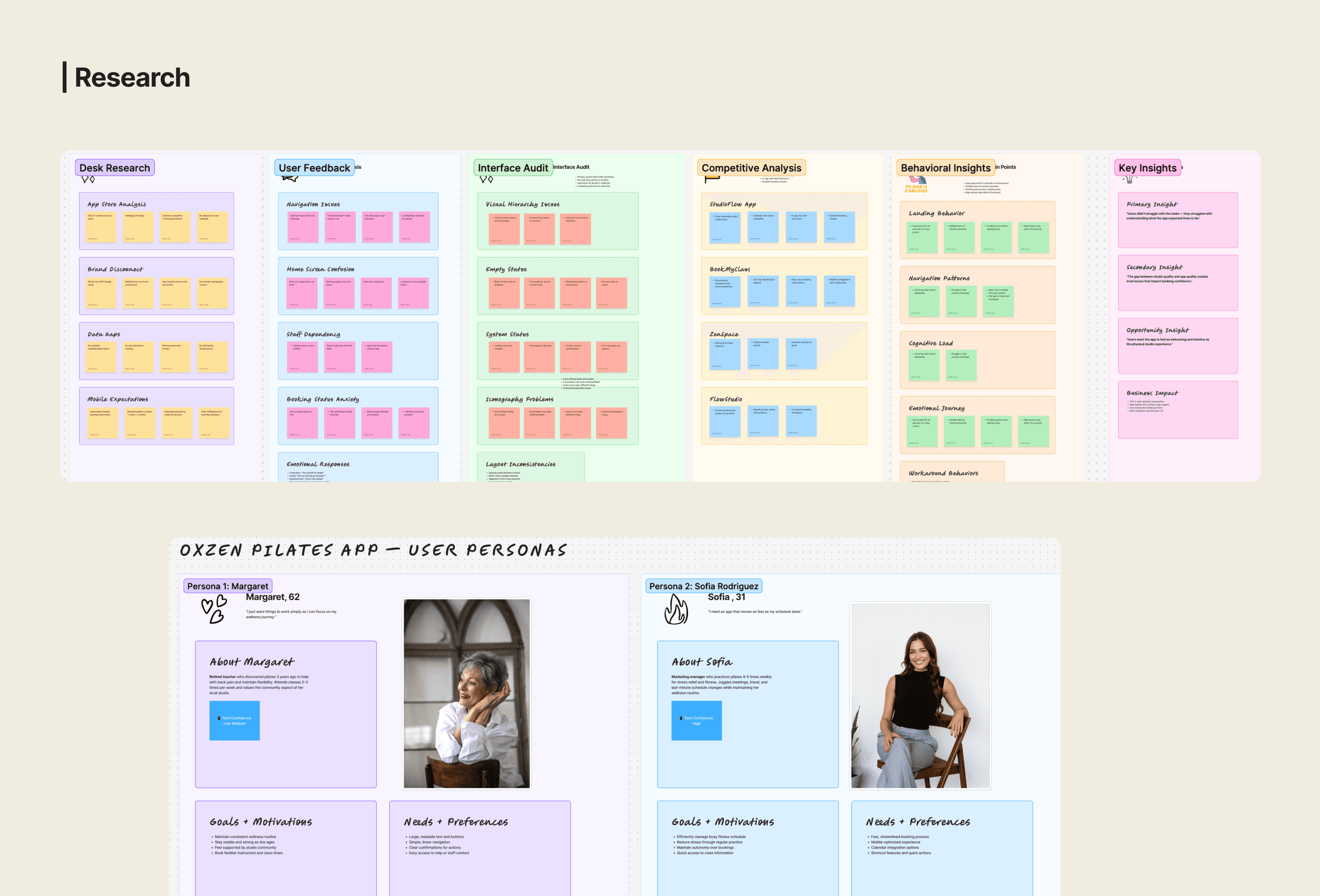
With no analytics or usage data available, the research focused on real user experiences through qualitative methods.

A quick review of the studio’s website and app revealed inconsistencies in tone and hierarchy, suggesting a disconnect between the brand’s warm identity and the app’s outdated interface. A comparative scan of other wellness apps confirmed this gap, Oxzen lagged behind in both usability and visual clarity.

User feedback, gathered informally via a WhatsApp group with fellow students, confirmed recurring frustrations: the app was confusing, offered little guidance, and made users overly reliant on staff for basic tasks like booking or paying

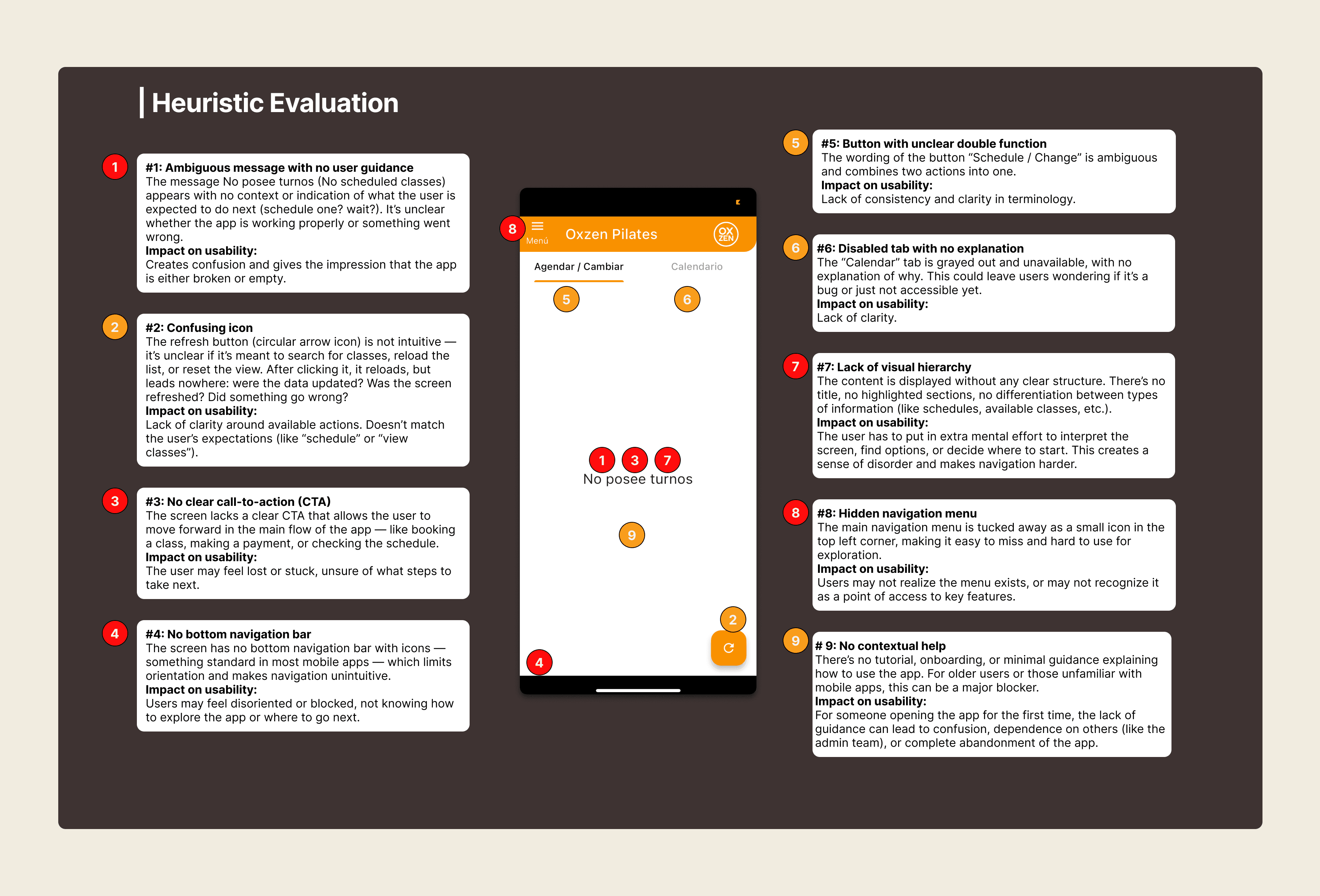
Heuristic Evaluation

Since the app was already launched and users were clearly struggling with the experience, I used a heuristic evaluation to understand why the interface felt confusing and which usability principles it was falling short of.

Redesign

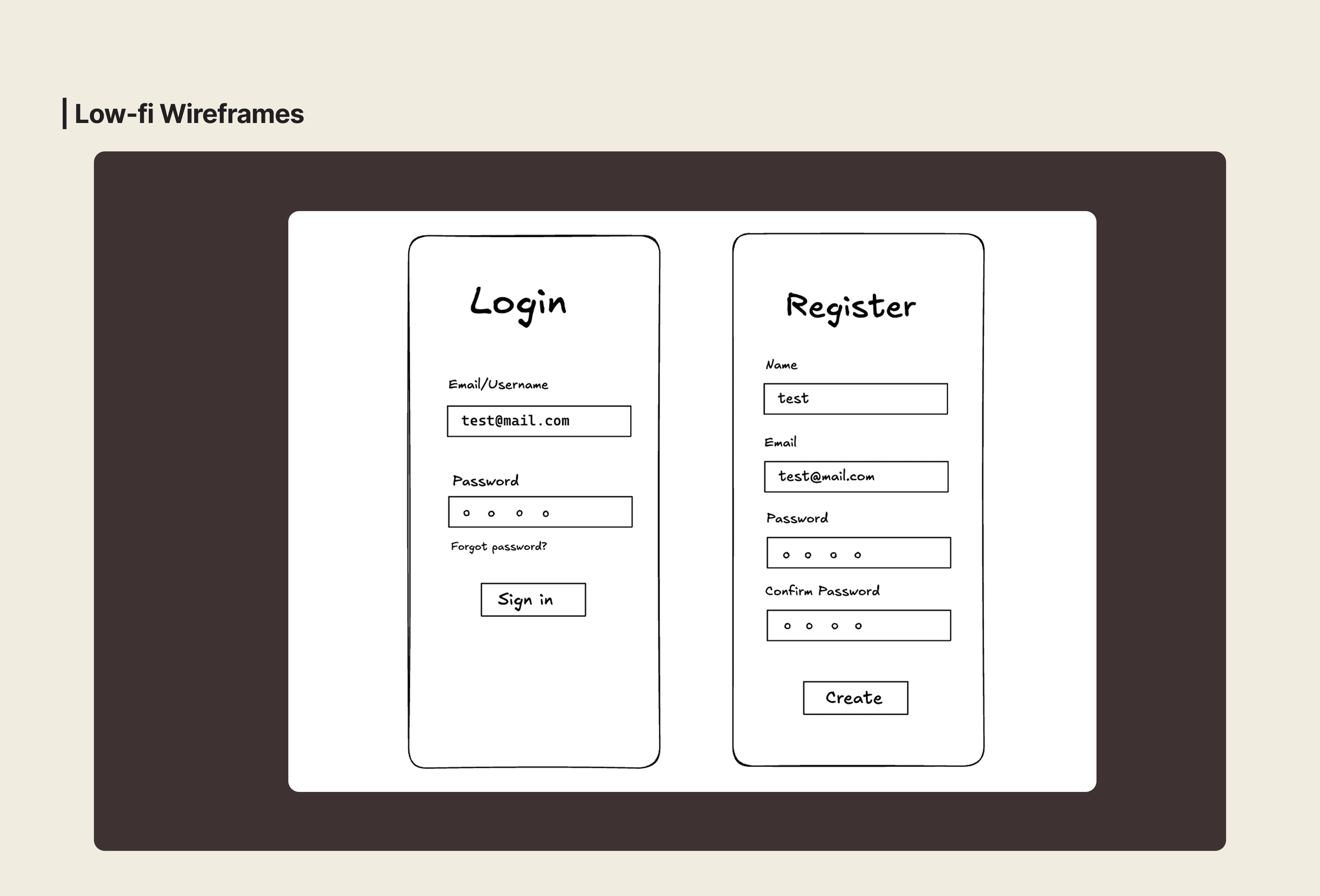
The redesign focused on addressing the usability issues uncovered during the heuristic evaluation: an empty state with no guidance, lack of navigation, weak visual hierarchy and ambiguous actions. Instead of adding new features, the goal was to reorganize and clarify the experience, aligning it with patterns commonly seen in wellness and pilates apps identified during benchmarking.

1. A useful home page

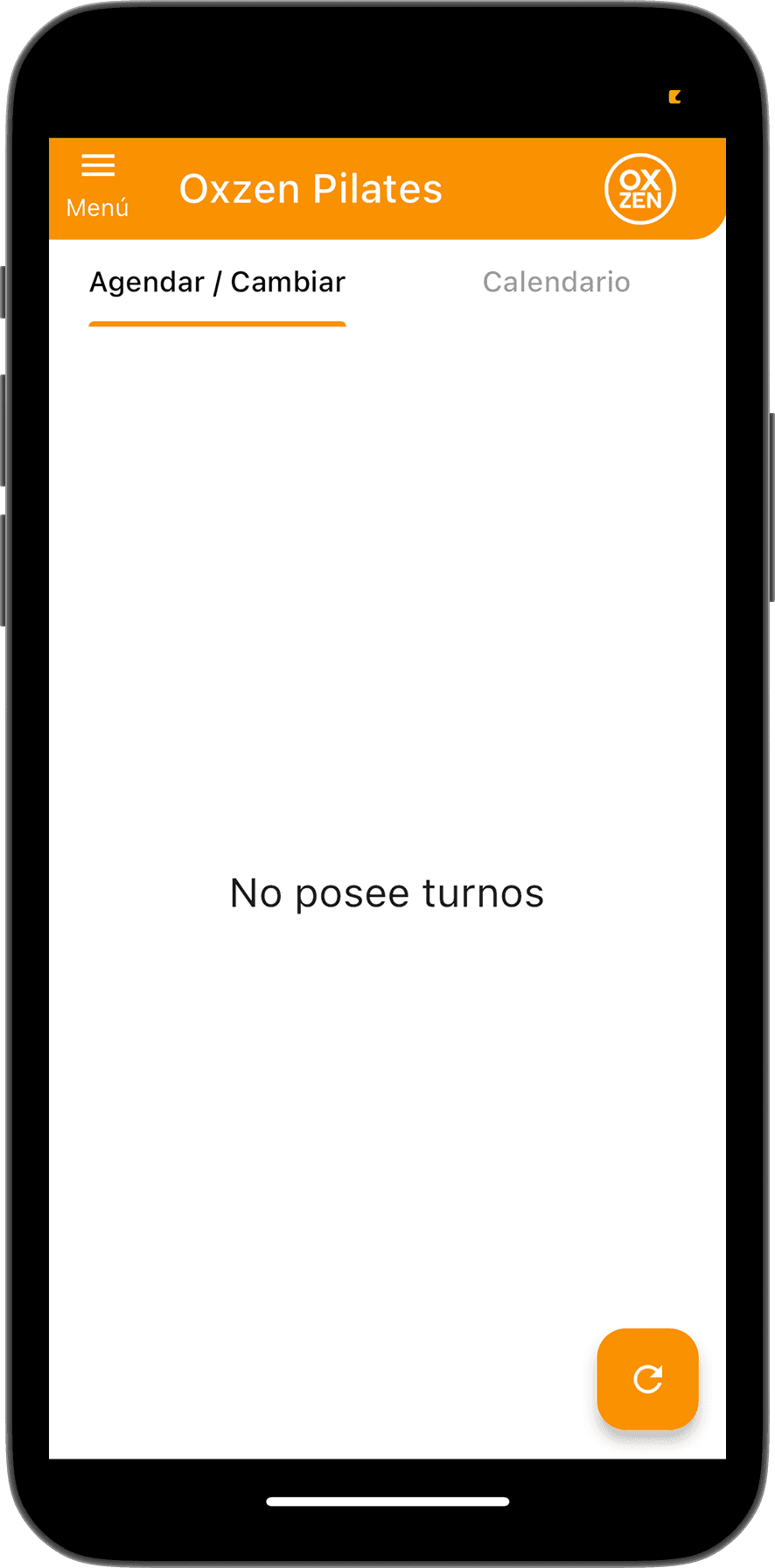
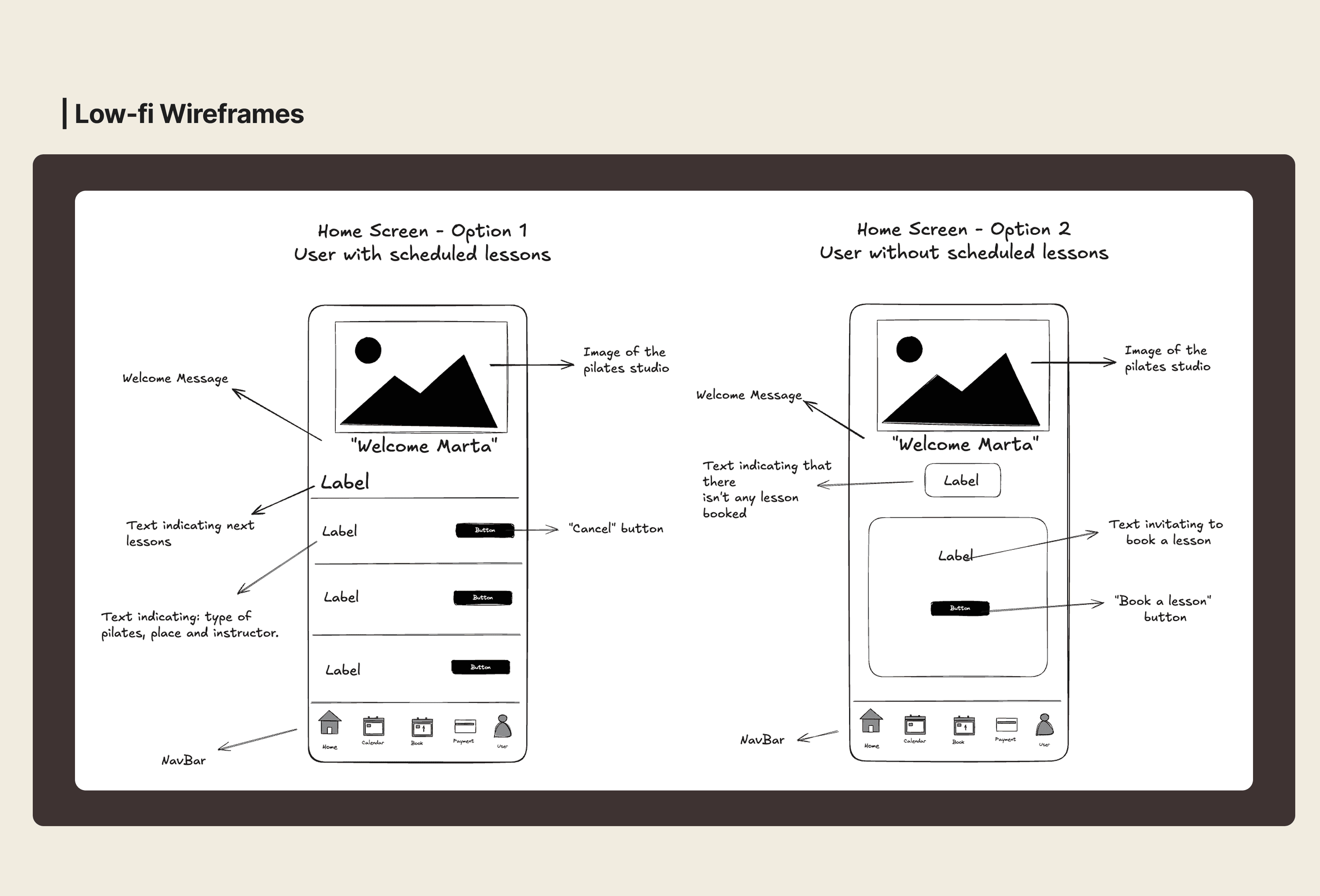
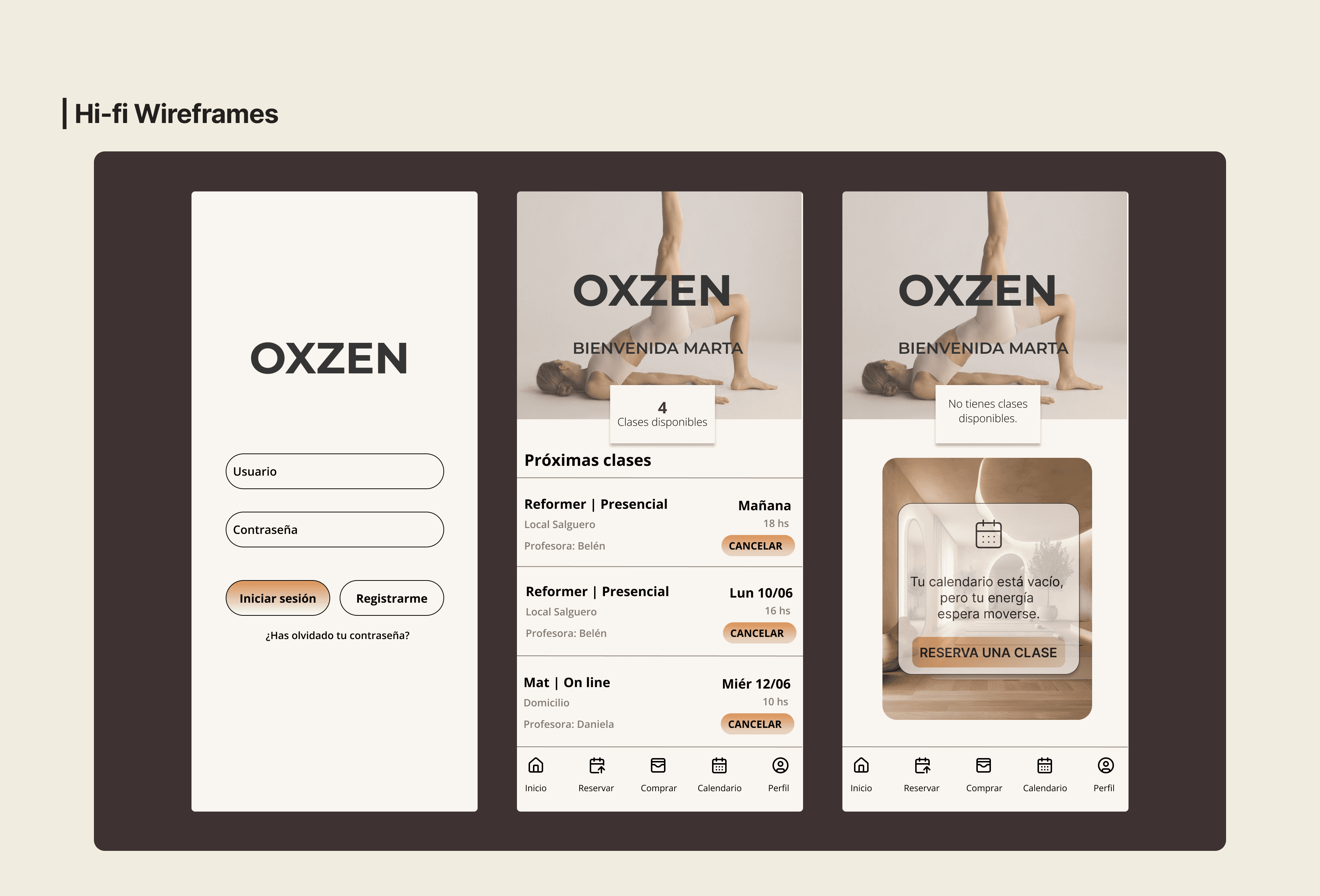
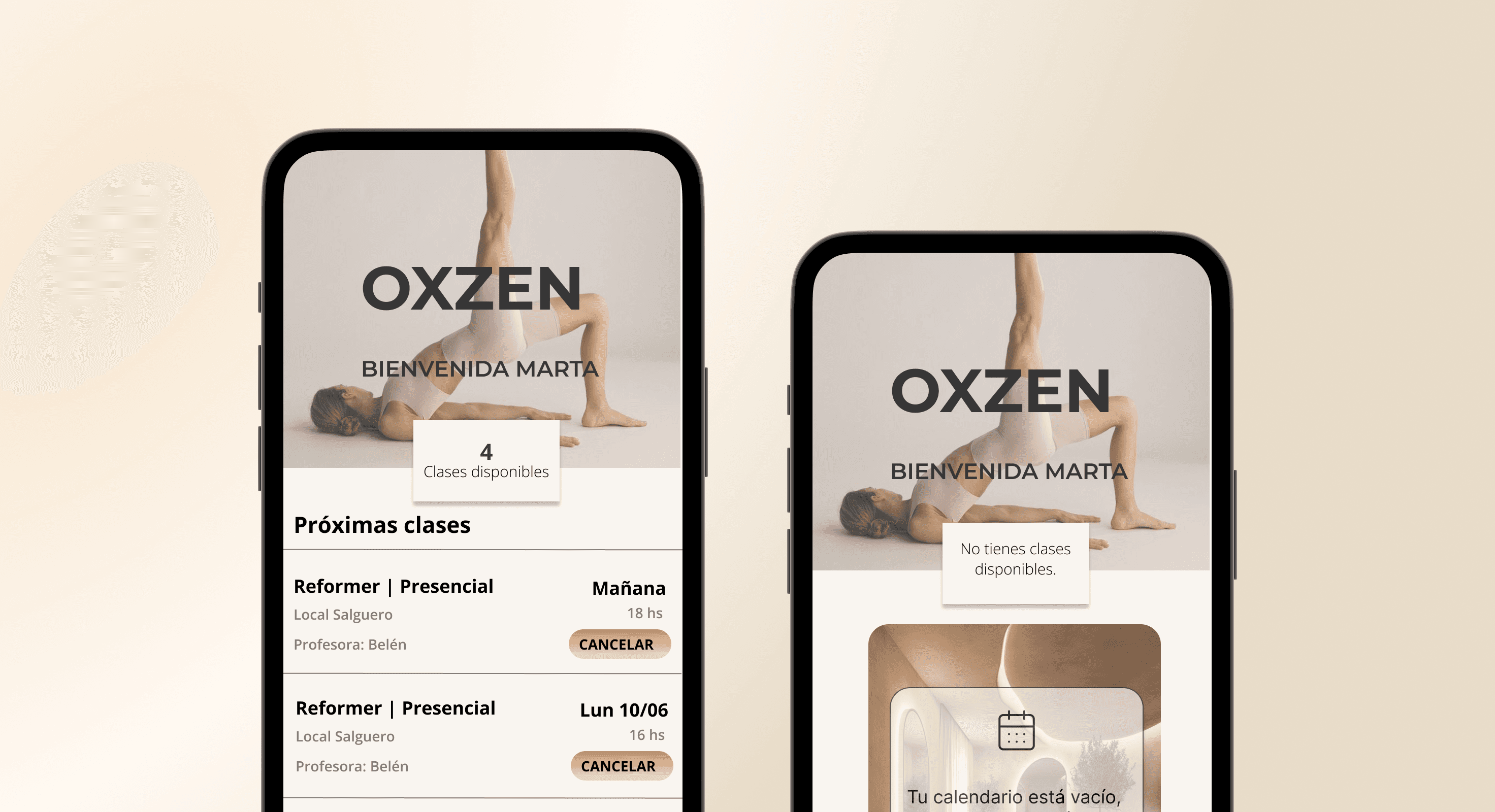
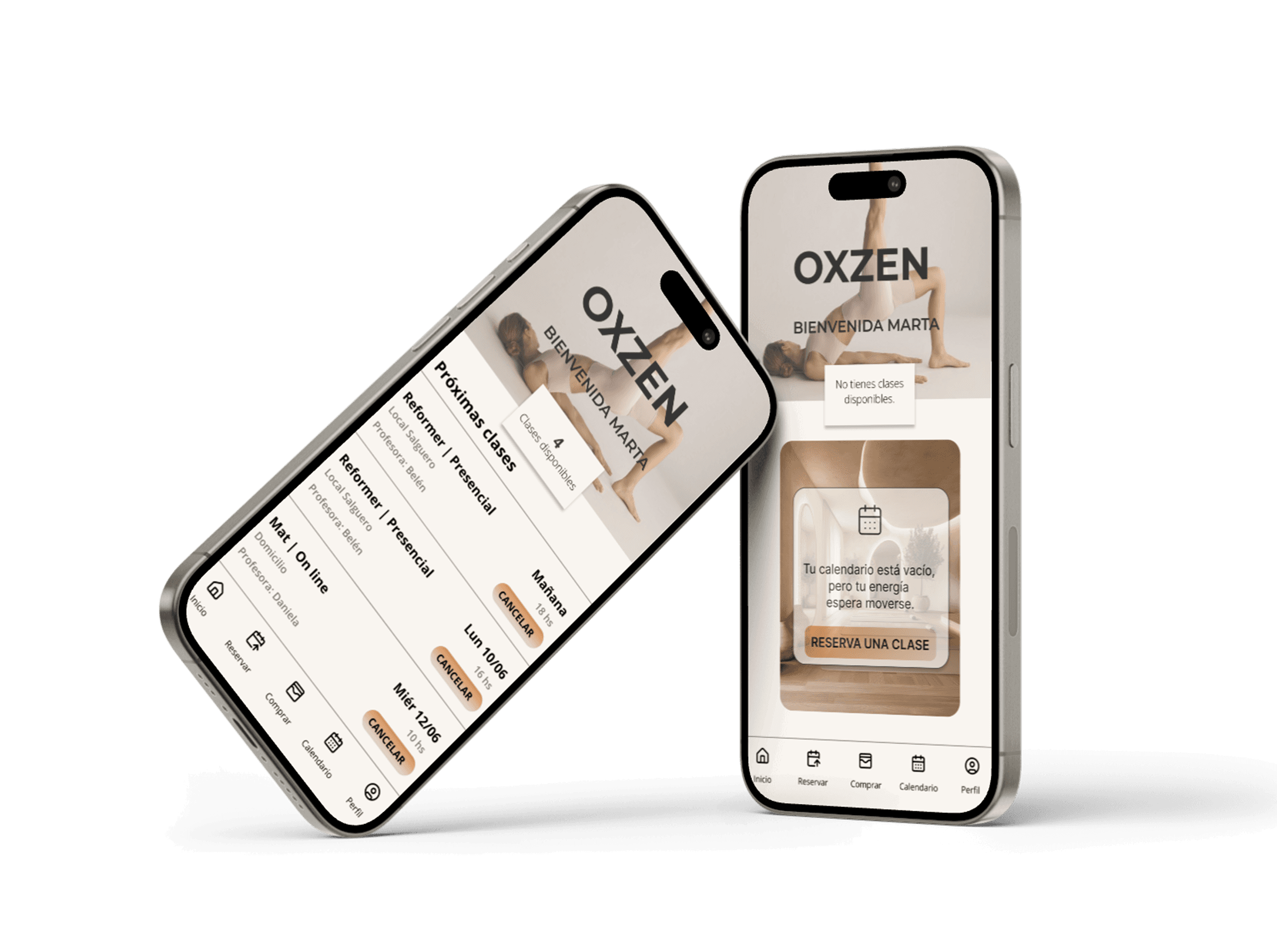
The original app opened on an empty state that left users with no sense of direction. To fix this, I designed two contextual home screens, each adapted to the user’s real situation:

  • For users with upcoming classes:
    A personalized welcome, clear information about class availability and a structured list of upcoming sessions.

  • For users without booked classes:
    The former empty state becomes a supportive, actionable moment, with a friendly message and a primary CTA (“Book a class”) that guides the user forward instead of leaving them stranded.

2. Clear and consistent navigation

One of the strongest findings was the complete lack of navigational structure. To address this, I added a bottom navigation bar with five universal entry points: Home, Book, Shop, Calendar, and Profile. This pattern, present across most benchmarked wellness apps, reduces cognitive load and restores a sense of control.

3. Visual hierarchy and structure

The original interface lacked hierarchy and separation. The redesign introduces:

  • clear titles,

  • structured functional blocks,

  • readable cards for upcoming classes,

  • consistent spacing.

4. Clear, predictable actions that support user autonomy

Ambiguous or unclear buttons were replaced with simple, explicit actions written in user-friendly vocabulary. Each class now includes a dedicated “Cancel” button, and every screen guides the user toward its primary action, such as “Book a class”. By clarifying terminology and reducing ambiguity, the redesign strengthens user autonomy.

5. Brand-aligned visual identity

Referencing Oxzen’s updated website, the redesign adopts a warmer and cleaner visual style that better reflects the studio’s identity and creates a cohesive brand experience.

AI and Next Steps

I continued exploring other flows. To do so, I used Figma’s AI tools (Figma Make) to generate an initial version of the Profile screen based on the established design foundations.
Next steps will focus on progressively exploring and validating the remaining flows, with the goal of reaching a complete and cohesive redesign of the product.

Discover the full process behind this app: heuristic analysis, research and more.