🗓️
2025
Montessori & UX Design
Montessori & UX Design
I made a Montessori board for my nephew. What does that have to do with UX/UI design?
I made a Montessori board for my nephew. What does that have to do with UX/UI design?
A little context
A little context
My background is not the most typical one in design. I studied political science, and at some point I also trained as a Montessori educator. When I transitioned into UX/UI design, I brought both of those things with me, and over time I've realized they're not as separate as they might seem. But this article isn't about that connection in the abstract. It's about something much more concrete: a wooden board, a one-year-old named Rufino, and a zipper. Rufino is my nephew and he's about to turn one. I decided to make him a Montessori busy board. Building it made me think about design in ways I didn't expect.
My background is not the most typical one in design. I studied political science, and at some point I also trained as a Montessori educator. When I transitioned into UX/UI design, I brought both of those things with me, and over time I've realized they're not as separate as they might seem. But this article isn't about that connection in the abstract. It's about something much more concrete: a wooden board, a one-year-old named Rufino, and a zipper. Rufino is my nephew and he's about to turn one. I decided to make him a Montessori busy board. Building it made me think about design in ways I didn't expect.
What is a Montessori busy board?
What is a Montessori busy board?
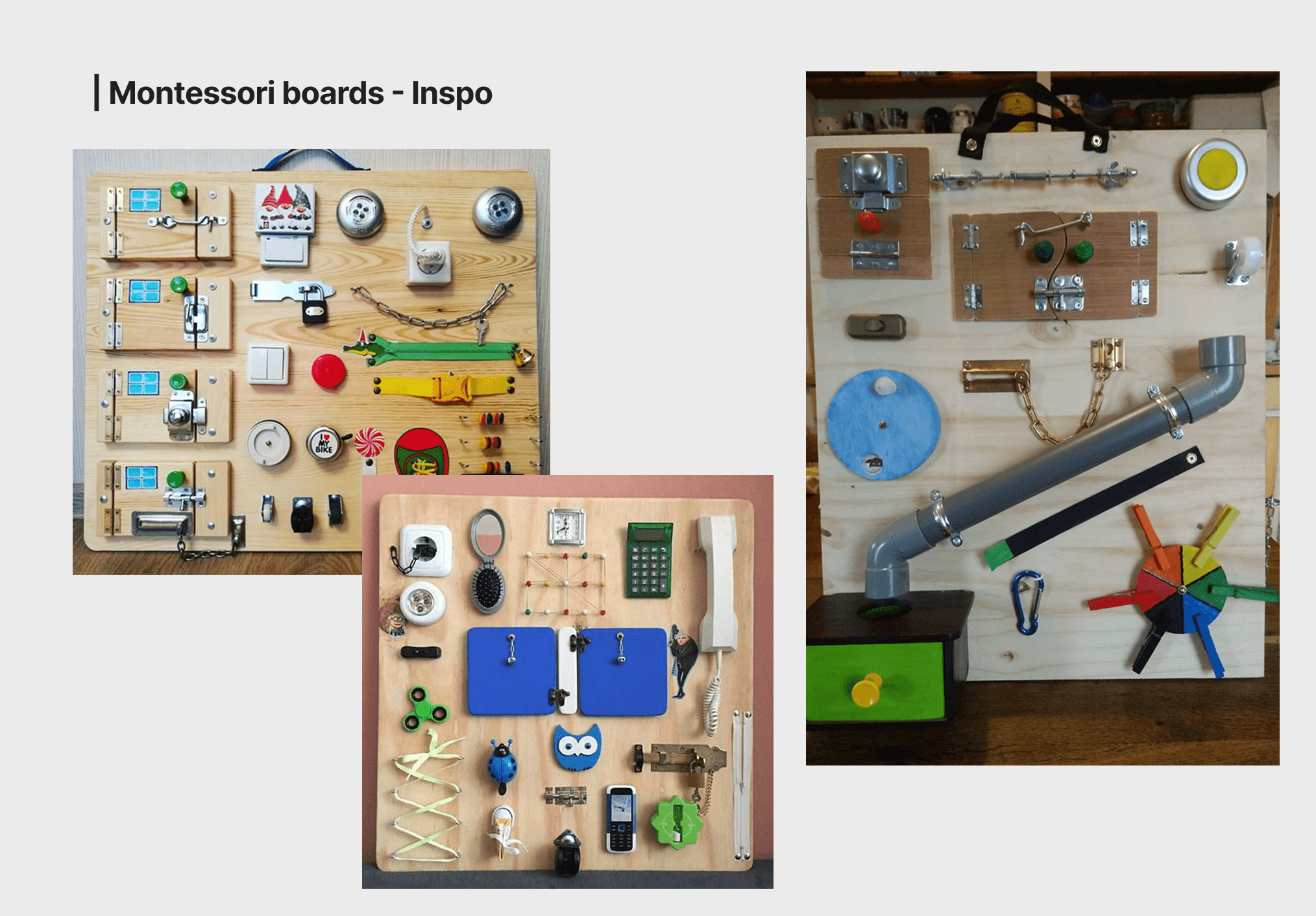
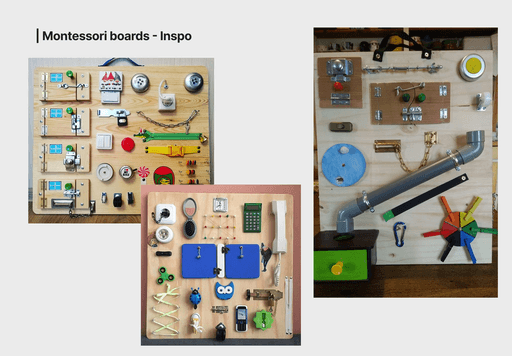
A busy board is a panel with everyday objects mounted on it: latches, zippers, switches, hinges, knobs, wheels. The idea comes from the Montessori philosophy, which says that children learn best through direct interaction with real objects, not toy versions of them. Each element is chosen to develop a specific fine motor skill. The goal isn't to entertain, it's to give the child something meaningful to figure out on their own. In Montessori, the environment is designed so the child can act independently. The adult steps back. The material does the teaching.
I wanted Rufino's board to feel intentional, not random. So before building anything, I thought about what a one-year-old is actually ready to do with their hands, and what would still challenge them as they grow. The board is designed to start at one year, but to stay relevant well beyond that.
A busy board is a panel with everyday objects mounted on it: latches, zippers, switches, hinges, knobs, wheels. The idea comes from the Montessori philosophy, which says that children learn best through direct interaction with real objects, not toy versions of them. Each element is chosen to develop a specific fine motor skill. The goal isn't to entertain, it's to give the child something meaningful to figure out on their own. In Montessori, the environment is designed so the child can act independently. The adult steps back. The material does the teaching.
I wanted Rufino's board to feel intentional, not random. So before building anything, I thought about what a one-year-old is actually ready to do with their hands, and what would still challenge them as they grow. The board is designed to start at one year, but to stay relevant well beyond that.
Hands on: what's on the board and why
Hands on: what's on the board and why
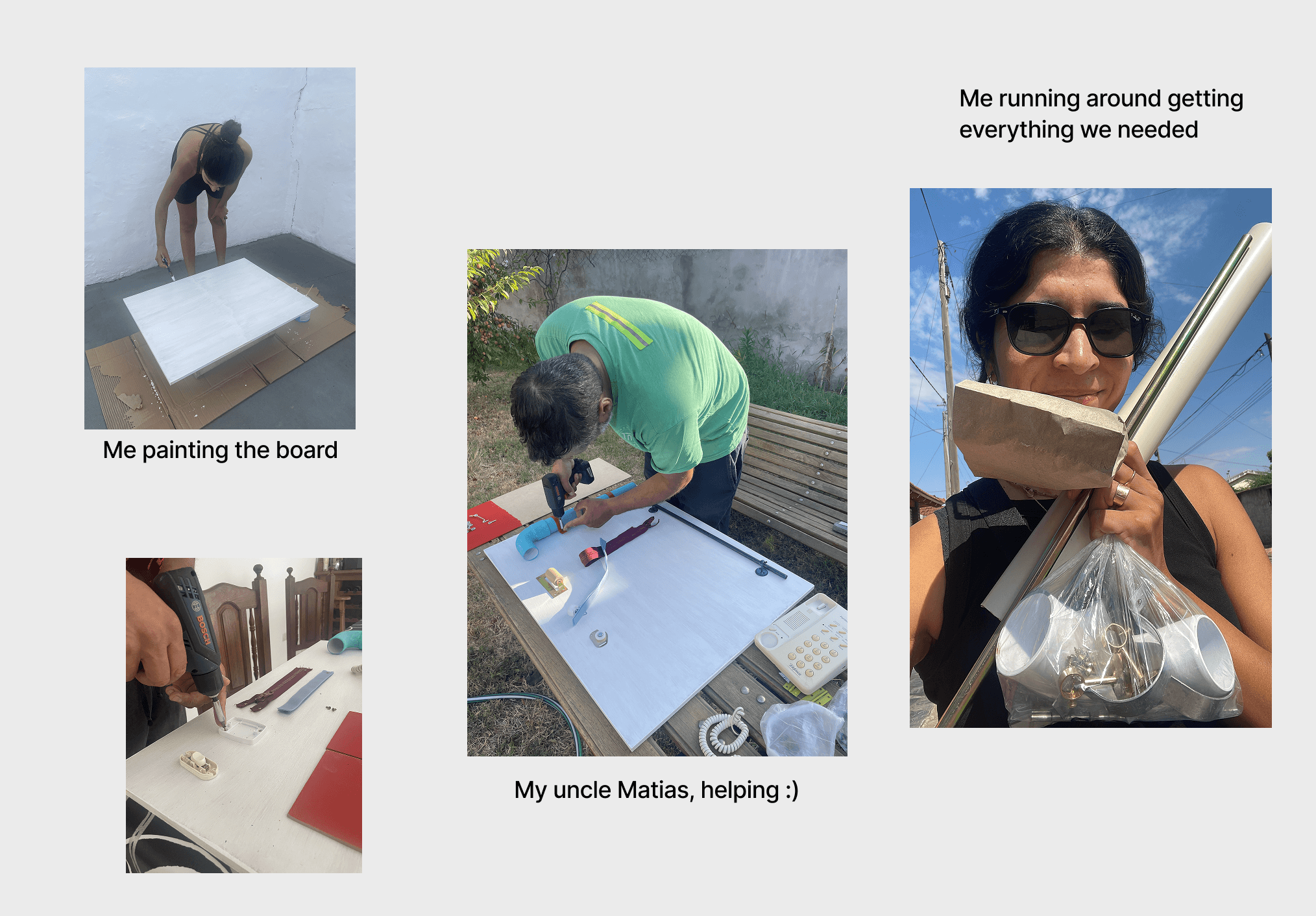
I didn't build this alone. My uncle Matías helped me, because there are many things I can do, but carpentry is not one of them. Together we put together a board where every element has a reason to be there.
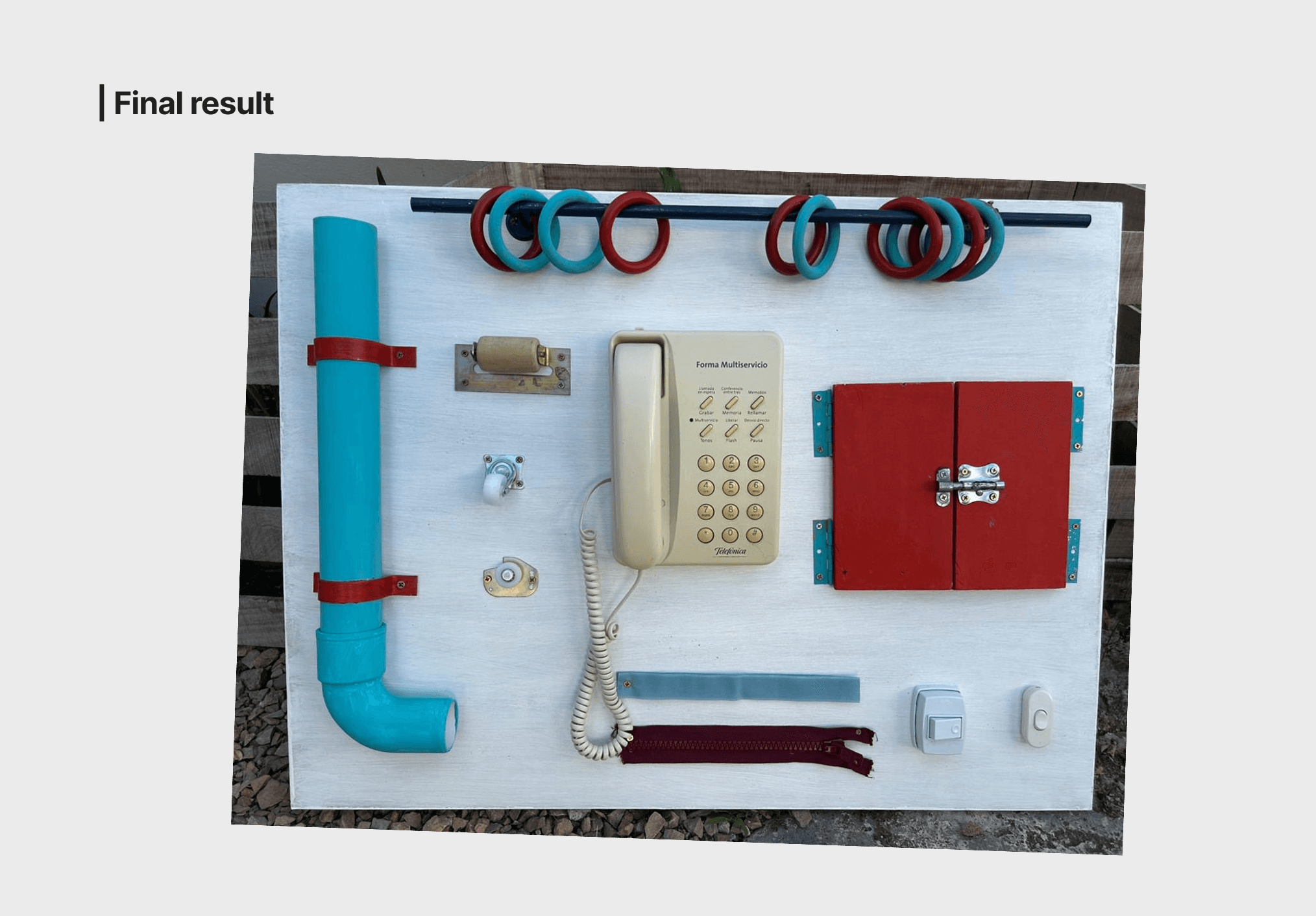
The rings on a rod are for sliding and threading, training the whole-hand grip and gradually moving toward more precise movement. The PVC pipe with a bend is all about cause and effect: push something here, something happens there, which is some of the earliest spatial reasoning a child can practice. The zipper requires both hands working together toward one clear goal, a skill called bilateral coordination.
The light switches isolate the index finger and offer the simplest possible feedback: on or off. The hinged door opens and reveals something, rewarding exploration in a way that makes kids want to come back. And the telephone is a real one, not a toy version. Montessori insists on this: real objects communicate real purpose in a way that plastic imitations simply don't.
I didn't build this alone. My uncle Matías helped me, because there are many things I can do, but carpentry is not one of them. Together we put together a board where every element has a reason to be there.
The rings on a rod are for sliding and threading, training the whole-hand grip and gradually moving toward more precise movement. The PVC pipe with a bend is all about cause and effect: push something here, something happens there, which is some of the earliest spatial reasoning a child can practice. The zipper requires both hands working together toward one clear goal, a skill called bilateral coordination.
The light switches isolate the index finger and offer the simplest possible feedback: on or off. The hinged door opens and reveals something, rewarding exploration in a way that makes kids want to come back. And the telephone is a real one, not a toy version. Montessori insists on this: real objects communicate real purpose in a way that plastic imitations simply don't.
Hands on: what's on the board and why
Hands on: what's on the board and why
Fair question… while I was putting the board together, I kept recognizing things.
Affordance
Every object on the board tells you how to use it through its shape. The rod with rings invites sliding. The switch invites pressing. Nobody needs to explain it. That's exactly what affordance means in UX: a well-designed element communicates its function without instructions. Montessori figured this out a century before we had a word for it.
Reducing cognitive load
Each element on the board does one thing. Just one. That's a core Montessori principle: isolate the variable so the child can focus. In UX we call it reducing cognitive load. When an interface tries to do too many things at once, users get lost. Same thing happens with a one-year-old in front of an overwhelming board.
Designing for the real range of people
Montessori doesn't design for a "typical" child. It designs so that different kids, with different motor development, different sensory profiles, different paces, can all find a way in. That's universal design. And it's what accessibility in UX is supposed to be: not a layer added at the end, but a starting assumption that the people who will use what you make are not all the same.
Good design principles show up everywhere. Even in a Montessori board for a one-year-old. Don Norman called it affordance in 1988. Montessori called it prepared environment in 1907.
Fair question… while I was putting the board together, I kept recognizing things.
Affordance
Every object on the board tells you how to use it through its shape. The rod with rings invites sliding. The switch invites pressing. Nobody needs to explain it. That's exactly what affordance means in UX: a well-designed element communicates its function without instructions. Montessori figured this out a century before we had a word for it.
Reducing cognitive load
Each element on the board does one thing. Just one. That's a core Montessori principle: isolate the variable so the child can focus. In UX we call it reducing cognitive load. When an interface tries to do too many things at once, users get lost. Same thing happens with a one-year-old in front of an overwhelming board.
Designing for the real range of people
Montessori doesn't design for a "typical" child. It designs so that different kids, with different motor development, different sensory profiles, different paces, can all find a way in. That's universal design. And it's what accessibility in UX is supposed to be: not a layer added at the end, but a starting assumption that the people who will use what you make are not all the same.
Good design principles show up everywhere. Even in a Montessori board for a one-year-old. Don Norman called it affordance in 1988. Montessori called it prepared environment in 1907.